Atomic ThinkingWorkAboutLeadershipResumeLet's talk
← All case studies

Reorganized a fragmented global travel experience into one task-oriented service hub

Role
Senior UX Designer, UX Researcher & UI Designer
Focus
Information architecture, service design, task-oriented content strategy
Tools & methods
Content audit, sitemap, journey mapping, wireframes, SharePoint, Microsoft Forms

Overview

A global employee travel service had accumulated fragmented content, unclear navigation, outdated guidance, and disconnected support channels. Employees had no dependable starting point for understanding what to do before, during, or after business travel. I led the information architecture and experience design for a task-oriented service hub that brought process guidance, booking access, travel resources, and support into one coherent service. I designed the full experience myself, from wireframes through the support workflows.

The challenge

The site reflected how information was owned and stored, not how employees completed travel tasks
Users needed to understand prerequisites, approvals, location-specific requirements, booking systems, support paths, and follow-up actions in one place
Scattered guidance and generic contact channels increased uncertainty and unnecessary support requests
The new experience needed to work as a modern, mobile-responsive global service

My approach

01Content and ecosystem audit

I reviewed the existing content landscape and supporting travel materials to understand duplication, page sprawl, missing guidance, and disconnected entry points.

02Task-oriented information architecture

I grouped content according to user intent, simplified labels, defined navigation categories, and developed a sitemap that became the structural foundation for the redesigned hub.

03Journey and service design

I organized the travel experience around practical stages: planning, approvals, booking, traveling, completing travel, and getting support. Then I translated fragmented procedural information into a visible, step-by-step guidance experience.

04Support workflow and wireframing

I designed categorized support forms that captured the context behind common issues, then produced the full set of wireframes: booking, trip planning, travel information, warnings, services, support, issue reporting. I checked the structure and terminology directly with subject-matter experts.

Decisions I drove

Reframing the problem from content management to task completion
Challenge
The existing travel experience was organized around policies, resources, teams, and document ownership. Employees were expected to know where information lived and assemble their own booking process. They struggled to understand prerequisites, approvals, booking methods, support channels, and next steps.
What I pushed for
Rather than reorganizing content into cleaner folders, I proposed restructuring the whole experience around the employee journey: planning, approvals, booking, traveling, completing travel, and support. That meant changing how the business thought about the site, moving from an ownership-based structure to a task-oriented one.
Outcome
The task-oriented structure became the foundation for the redesigned hub, which recorded more than 364,000 visits in its first 90 days.
Designing support as part of the experience, not an inbox
Challenge
Support requests were flowing through generic inboxes and contact channels. Employees couldn't tell where to go for help, which created unnecessary workload for the travel team.
What I pushed for
Instead of just exposing more contact information, I designed a guided support experience with categorized forms and structured pathways, so employees could identify their own issue before reaching support.
Outcome
The guided support experience became a dedicated part of the hub strategy and was later formalized into support procedures and routing guidance.

Key deliverables

Content inventory and audit
Task-oriented sitemap and navigation model
End-to-end travel journey
Guided self-service process design
Support and issue-reporting flow designs
Full page wireframes and experience concepts

Selected artifacts

The screens and diagrams below are redrawn with neutral labels and synthetic data to protect confidential specifics. They're recreations, not real screenshots — the structure and logic shown are accurately represented.

Intranet
Chat
Welcome back
Find the guidance, resources, and support to manage your business trips.
Start booking now

Let's start your journey

New here? Book your trip in a few simple steps

Follow the steps below so your reservation goes smoothly and stays within policy.

Before you start…
Review the global travel policy and any visa requirements for your destination before booking.
Policy & standardsVisa services
Synthetic recreation
Hub homepage — a single starting point for guidance, booking access, and support before, during, and after a trip.
Intranet
Chat
North America
Travel Resources

Want to travel? Find the steps and resources to book your trip.

Corporate booking system

Reserve flights, hotels, and ground transport in line with policy.

Booking portal
Passenger
Jane Doe
Flight · Seat
F3933 · 7A
Gate
D12
Synthetic recreation
Region-specific booking flow, consolidating trip approvals, alerts, and the corporate booking tool in one place.
Intranet
Chat
Travel Documents

Need a visa or passport for this trip? We can help you get started.

Reference your account with our documentation partner to unlock discounted processing rates.
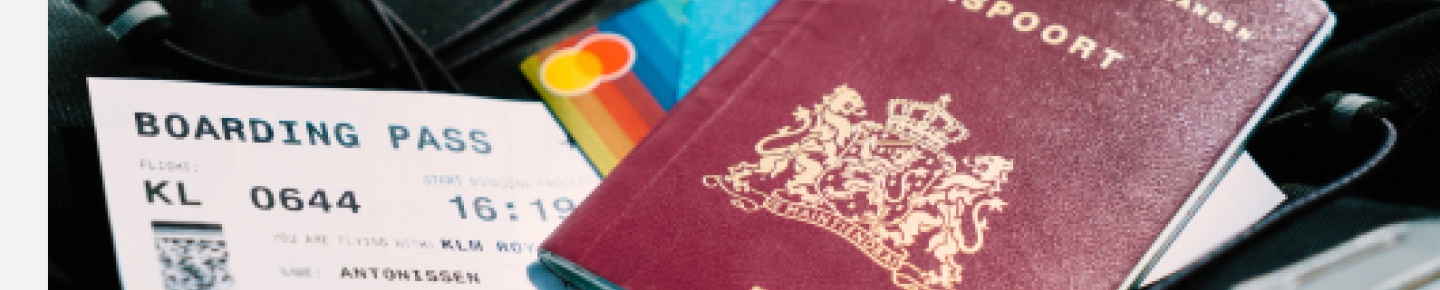
Passport services

Country-specific renewal and application guidance, plus a direct line to our documentation partner.

Synthetic recreation
Visa and passport support — one of several vendor-specific services folded into the guided experience.
Intranet
Chat
Help Center

Welcome to the Center

Travel Help

Quick answers to the questions we hear most, plus a direct line to support.

FAQ's
I'm having trouble accessing the booking tool — how do I get in?
How do I change or cancel a trip I've already booked?
Synthetic recreation
FAQ-driven help center replacing scattered support inboxes, built around the questions that generated the most tickets.

Want a closer look at the real work? Get in touch.

Outcome

The hub recorded more than 364,000 visits in its first 90 days after launch. The guided booking section alone pulled in more than 6,000 visits in that period and turned out to be the most-used part of the hub. Support inquiries dropped too, a real, noticeable drop, though we didn't track it as an exact percentage.

What this demonstrates

Enterprise-scale information architectureContent strategy and service designUI design and wireframingCross-functional facilitationMeasured post-launch adoption

What I'd validate next

If I revisited this today, I'd want to instrument the support-inquiry reduction directly instead of relying on a qualitative read. I'd tie ticket volume by category to the guided sections that replaced them, to see exactly which parts of the hub are doing the deflecting.

Have a similar problem?

If a product's structure has stopped matching how people actually use it, I'd genuinely love to hear about it.

Say hello